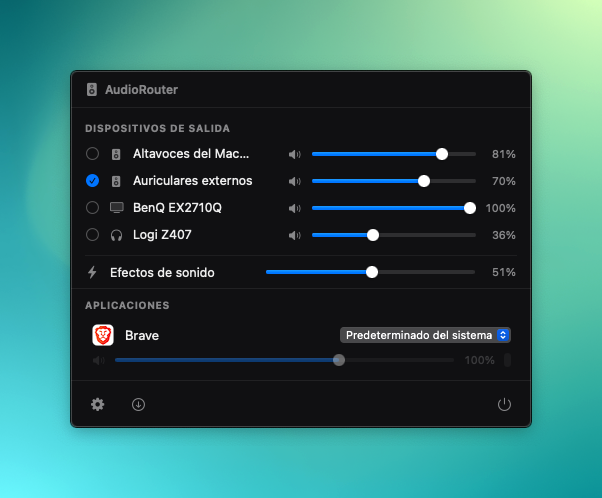
Real screenshot, not a mockup — this is exactly what it looks like.
AudioRouter lives in your menu bar and lets you route each app's sound to a different device — Chrome to the speakers, Spotify to your headphones — without losing track of everything else in between.
You pick which app plays where. AudioRouter taps each process's audio and forwards it to whichever device you assign, in real time.
Every app gets its own slider and its own live level meter — turn up Spotify without touching anything else.
Output, sound effects, and default device, all from the same menu — no need to open System Settings.
Apple Developer ID + real notarization. Gatekeeper accepts it without any weird warnings.
No Dock icon, no extra windows. One click and you're done.
Uses Apple's Process Taps API (macOS 14.4+) — no virtual audio drivers, no kernel extensions.
Checks for new versions in the background and lets you know when there's something new to install.
Download, open the .dmg, drag to Applications. That's it.
Download AudioRouter v0.1.0